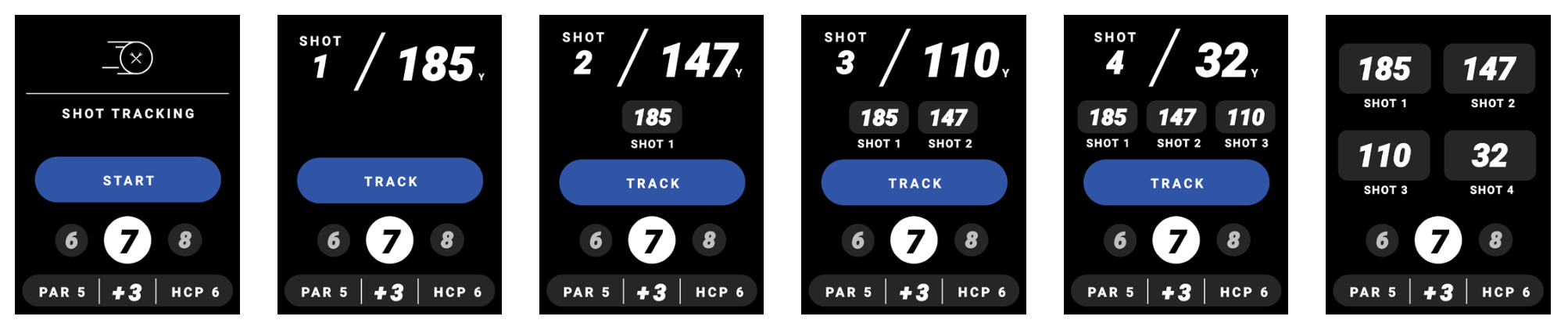

Track up to 4 shots per hole using the Ringer. When you step on the tee box, tap the “TEE OFF” button to indicate where you are on the tee box and hit your tee shot. Once you located your tee shot, tap the “TRACK” button to log your first distance. The distances will reset into your second shot while keeping track of previous distances. You will repeat this process until you’ve logged 4 shots, where you will see a summary of your logged shots.
In your device settings, turn “Shot-Tracking” ON
To start shot tracking, select “START” to indicate your current location and once arrived at shot location, tap “TRACK” to record the distance
Repeat Step 2 for remainder of desired shots.